My Journey with Colemak-DH (Typing Ergonomics, Part 1)
WIP! Last updated Oct 26 2025 while I am still updating my site
Once you’ve committed to an ergonomic keyboard, the hardware is only half the story. The other half is what each key actually does, and the first thing worth questioning is the letters themselves.
Much like the arbitrary staggered shape of a keyboard, there is no real reason for the QWERTY layout; it’s just what stuck. For me, the final straw was the awkward same-finger hops in everyday words, like the “ed” in “edit” or the “cr” in “create”, where one finger jumps between rows over and over. This post covers how I ended up on Colemak-DH, a short detour into designing my own layout, and what the switch did to my typing speed.
The ergonomic keyboard rabbit hole goes much deeper than anyone would expect. Let’s start with the letters. Sensibly, we would want to have the most common letters in the most convenient spots, where it’s easiest to be pressed by certain fingers. And remember those annoying combos I mentioned earlier? Those are single-finger bigrams, and we would also want to limit those. For instance, in QWERTY there are workarounds - I bet you instinctively move your left hand up to type “tr” with different fingers.
I actually tried to create my own layout for a while. I present Astricky:
q w d k f y p o l ;
a s t r g h n e i u
z x c v b j m , . /
After trying it out though, I found that I was trying to get the same problems that existing layouts solved. There wasn’t anything special about mine, except for trying to stick more to QWERTY. So, I let go and fully embraced the new layout.
One of the most well-organized and convincing pieces was: “Why Alt Keyboards”
There are many different algorithms that weigh different factors, and so many keyboard layouts as a result, with surprisingly no concrete studies studying these effects long-term.
Among common layouts, Dvorak vs Colemak was the main choices, especially since large enough to be supported on OSs. I didn’t really like the feel of dvorak, especially with blog comments, so I opted for Colemak, with small colemak-DH modificatoin shortly after.
Certainly I needed to take an immediately productivity hit of transitioning over. I think the best way is to make a full commitment, so I used qwerty for the last working days of the week and made a full effort to just practice the layout an entire weekend. Keybr worked quite well for getting speed up; I was at maybe 40 by the end of two days. If there’s anything good about it, it’s that it forced myself to properly learn touch typing.Especially with ortholinear keyboard.
Here are my typing stats from keybr:
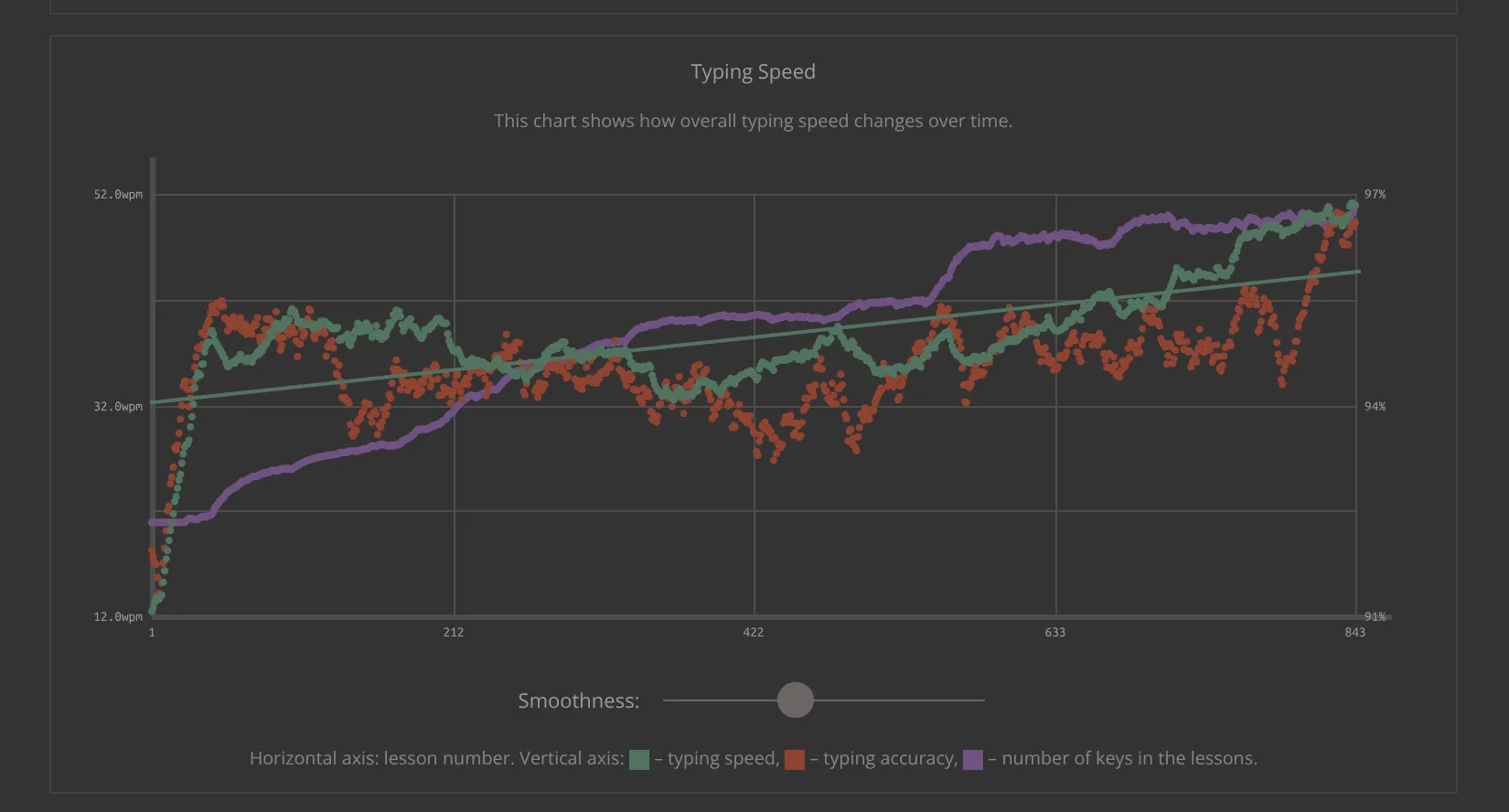
It’s pretty surprising how fast you can adapt in just a couple of targeted weeks of learning a new layout: I went from about 10 to 50 WPM.
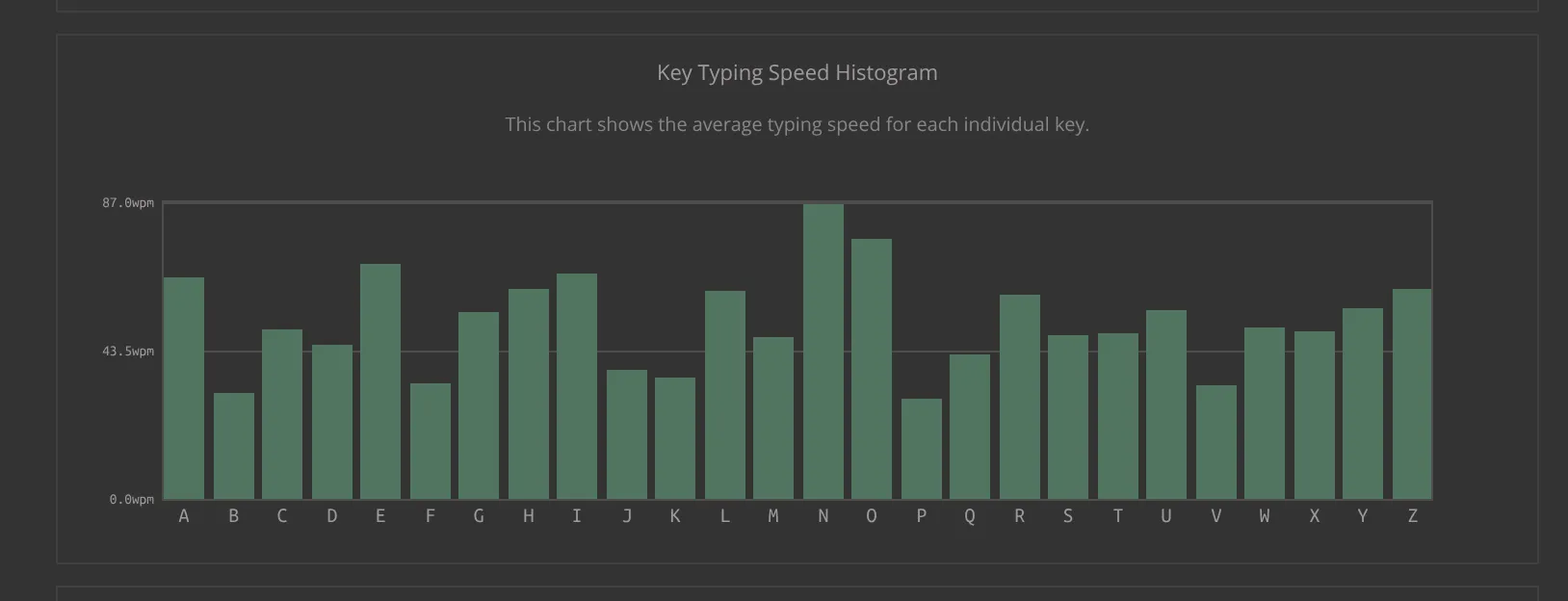
Interesting to note that the home row keys, like a and r on the left or n, e, i, and o on the right, are typed noticeably faster, while keys further out like b, f, j, k, p, and v lag behind. Though part of this also comes down to where a letter tends to fall within a word: letters at the beginning or end of a chunk get typed differently from those in the middle of a roll.